 Fam360
Family safety · iPhone
Where everyone is, when it matters.
A shared live map, places that tell you when someone arrives, and one button that reaches your whole family at once.
Start a space, or join one.
Create a family space and name it, or join one that already exists with a short invite code — EXS-BJO, say. A code lasts seven days and works for more than one person, so you can hand the same one to everybody.
Codes travel as a link too. Tapping fam360://join/EXS-BJO on a phone that has Fam360 opens straight to the family preview.
Everyone on one map.
Live location for every person in the family, on a single map. Each member carries their battery level, how long ago their phone last reported, and how far away they are from you.
When someone's phone has location switched off, the app says so plainly rather than showing a stale pin and letting you assume.
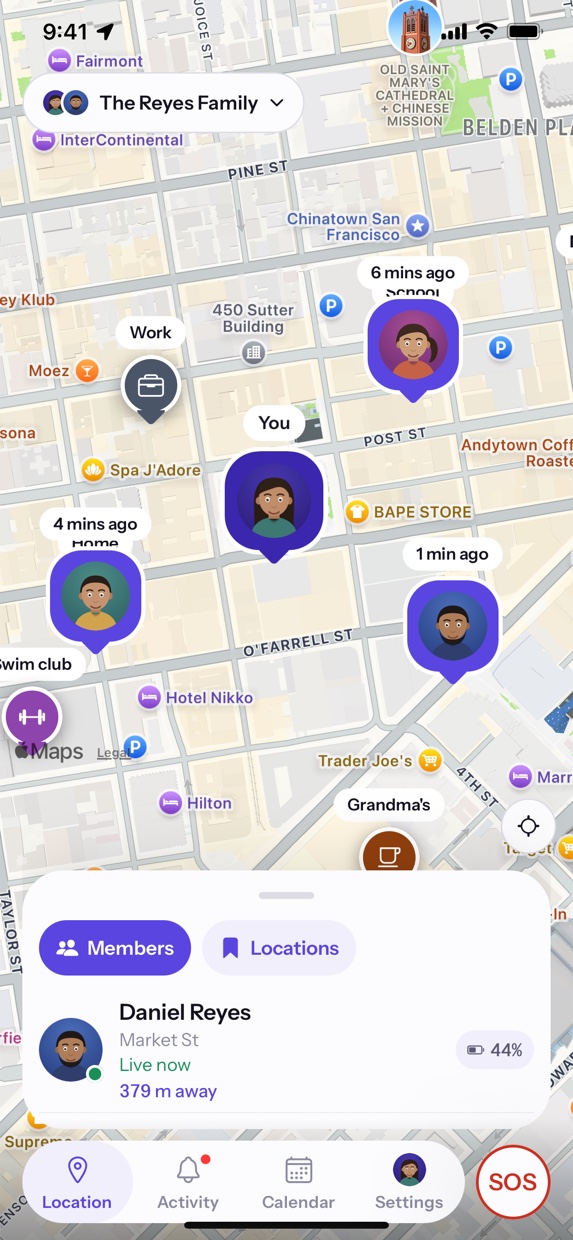
Name the places that matter.
Home. School. Work. Practice. Save the places your family actually goes, then ask to be told when someone reaches one or leaves it. No guessing from a map pin whether that dot is at the right building.
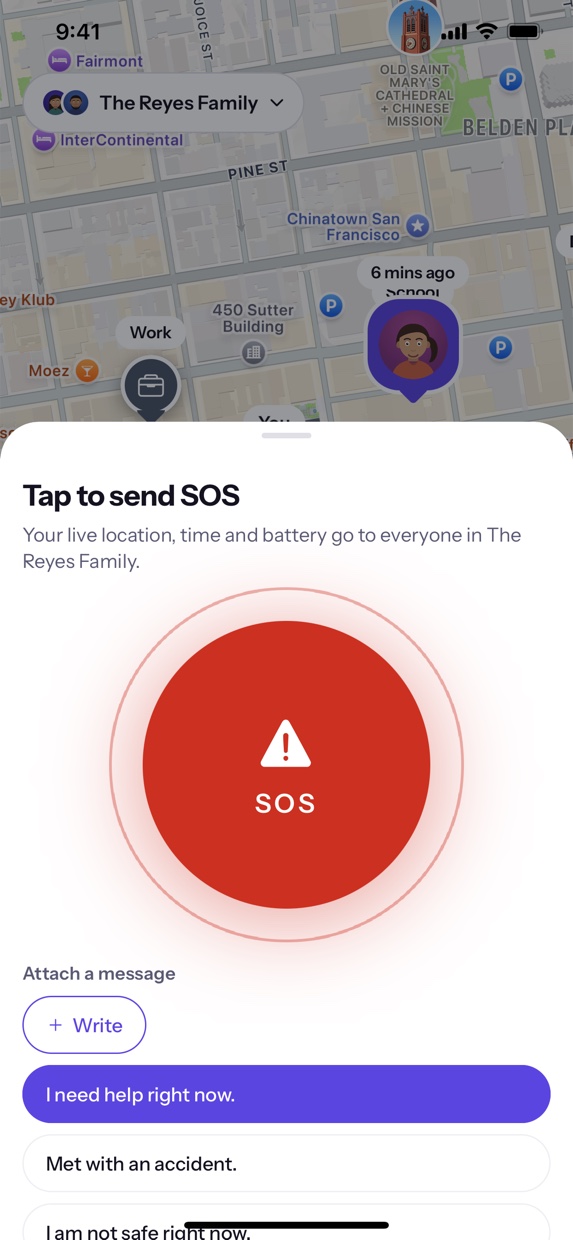
One tap tells everyone.
SOS sits beside the tabs on every screen, so it is never somewhere you have to navigate to. It opens over whatever you were looking at, and the whole family gets your location, the time, and how much battery you have left.
If typing is more than you can manage, the message is one tap from a list — I need help right now, please come to my location.
It counts down before it sends, so a pocket press is not an emergency — and cancelling is a labelled button, never an accidental swipe.
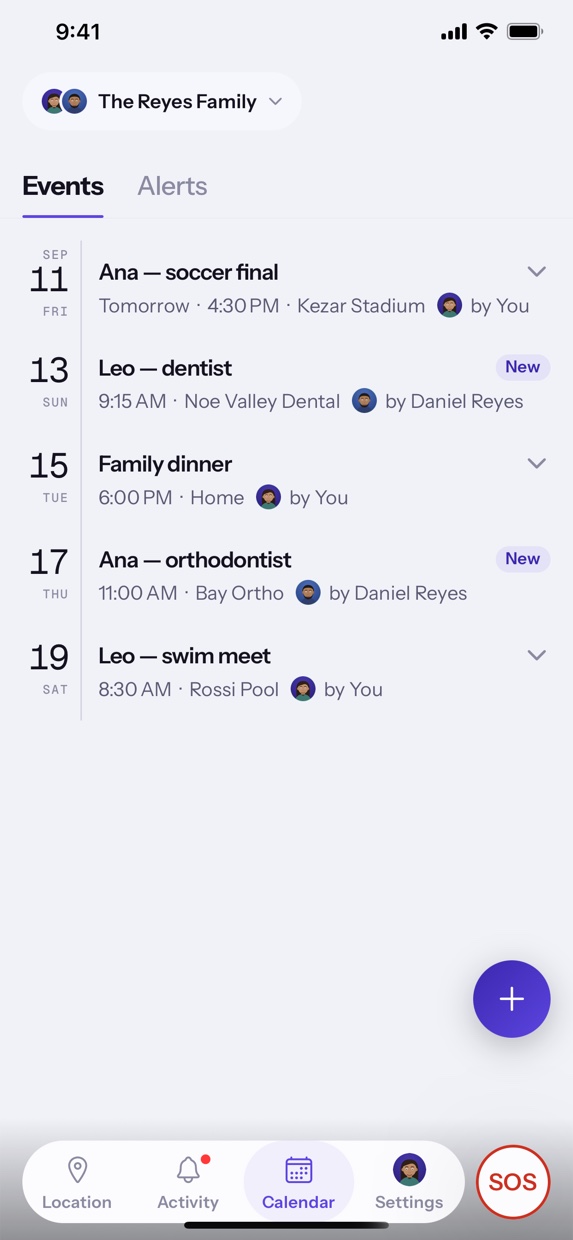
And the ordinary week, shared.
Practices, appointments and dinners on one family calendar. An activity feed that catches what you missed while you were away from your phone — who joined, who arrived, what was resolved.
Plainly
What Fam360 doesn't do.
A location app earns its place by what it refuses to do with the location. Here is that list, and it is checkable — the app is built from the repository these pages live in.
There is no ad SDK in the app. Nothing about your family is sold, brokered or shared with a data broker.
No third-party analytics and no crash-reporting SDK ship in the app. We do not watch how you use it.
Your position is readable by members of families you have actually joined. Not by strangers, and not by us for any other purpose.
Sharing has four modes — always, family only, emergencies only, and off. Off means your position stops going anywhere.
Deleting your account is a button inside the app, not an email you have to send and then chase.
No cookies, no analytics, no third-party requests. The fonts are served from this domain, so no font CDN sees your visit either.